Tag: Microsoft
As the trusted Licensing Partner of the HEAnet, Ireland’s national research and education network, we were pleased to invite our colleagues from Ergo to the HEAnet Microsoft Licensing workshop, where we jointly showcased the full scope of the Microsoft Office 365 family of products and solutions. This event took place in HEAnet’s headquarters in George’s Dock, Dublin, which played host to a full room of attendees from various third level institutions.
For the vast majority of HEAnet clients in attendance, the Office 365 products and services was already available to them via their annual Microsoft Campus agreement which Micromail manages. The event was to aid these customers in making the most of their licenses in a way that made sense for each institution. Although from the same industry, no two institutions are identical – and it was important to highlight the ability of Office 365 to address every challenge and pain point an institution may face, no matter the situation.
Up for discussion was the security features that come with Microsoft 365 A3 and A5 licenses, in particular, Security Identity and Access Management. Ergo’s Conor Magee and Sean McAvinue did a deep dive of Azure Active Directory and Multi-Factor Authentication complete with real-time demonstrations of these products, using real-world examples.

After this, they moved onto Information Protection, Threat Protection and Security Management. They provided statistics on these features and how they are shaping the future of security management, something that is of top priority for all organisations – especially ones who are handling huge amounts of personal and technical data.
What followed was a Q&A from the attendees where myself and Micromail colleagues, Seán Deasy and Stewart Kennedy, were on hand to address any licensing queries.
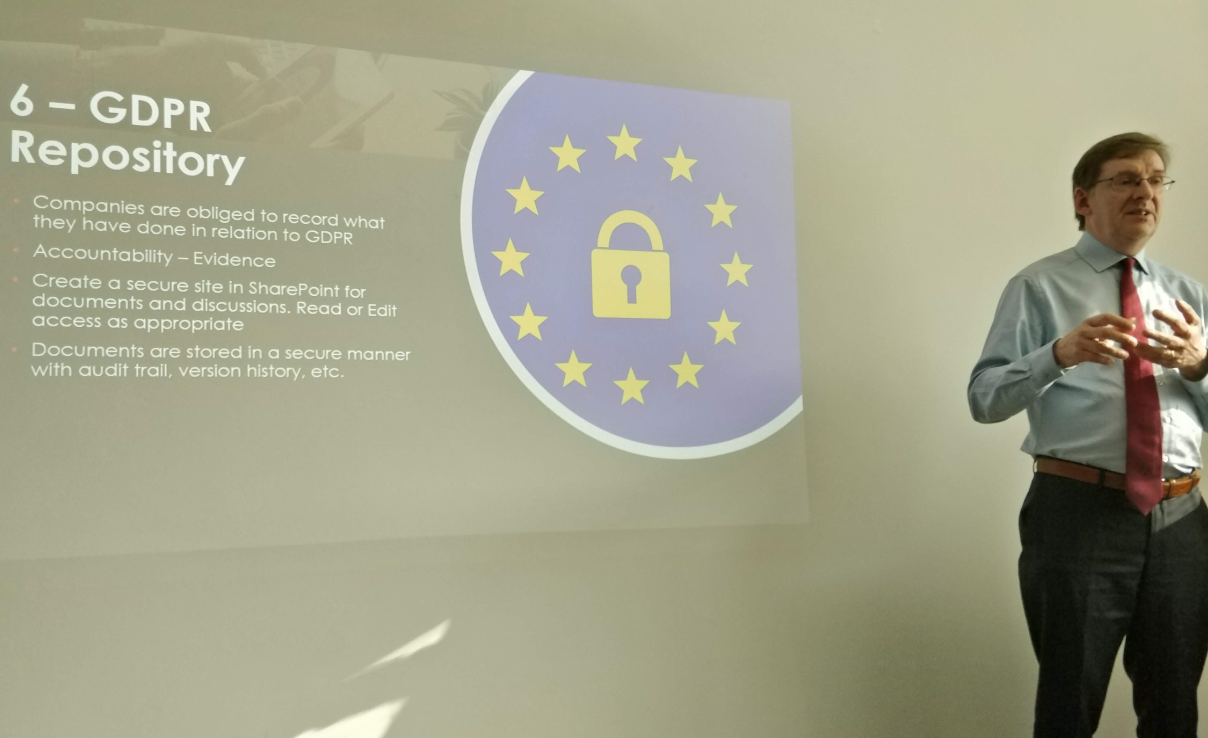
Last up was Peter McCullagh from Ergo who did a very informative presentation entitled “Ten Things You Should be Doing in SharePoint Online”, again followed by a Q&A session. This highlighted another way in which Office 365 and the Microsoft product family can do to help organisations like third level institutions succeed by digitally enhancing their processes, workflow and workforce.
In a world where digital is the word on everyone’s lips, and organisations have to go digital to stay relevant, it’s important to partner with not only a tech pillar like Microsoft, who pioneers and creates the solutions, but also the partners on the ground who take the time to understand your pain points, tackle your challenges and ultimately help you along every step of the way.
If you are a third level institution and would like to learn more about Office 365 and the products and services available via the Microsoft Campus agreement, talk to us here.
It’s incredible to witness the pace of digital transformation through cloud adoption. As with any pioneering journey, there is always the risks of encountering threats that can end your journey. So, it’s vital you adopt the right security and compliance strategy to mitigate these risks. The question is how can we do this effectively and with minimal disruption to our business? Choosing the right technology partner and toolset are just a few ways to a secure successful digital transformation.
Microsoft and its transformation of Office to Office 365 and now Microsoft 365 has fundamentally changed that way we work. Being able to access our corporate information anywhere and at any time has rapidly made us better-informed decision makers.
However, this dynamic way of processing data presents risks in terms of data breach and compliance. Just last year the European Union introduced the General Data Protection Regulation (GDPR) to address these risks. GDPR requires companies to better secure information in motion, at rest and in use under strict compliance conditions.
In order to meet these increased compliance requirements, Microsoft has introduced two new Microsoft 365 security and compliance toolsets that will be available for purchase on February 1, 2019.
Identity & Threat Protection—Brings together security value from across the Office 365, Windows 10, and EMS offers in a single bundle. It includes best of breed for advanced threat protection services including Microsoft Threat Protection (Azure Advanced Threat Protection (ATP), Windows Defender ATP, and Office 365 ATP including Threat Intelligence), as well as Microsoft Cloud App Security and Azure Active Directory. This offer will be available for around €10.10 per user per month.
Information Protection & Compliance—This offering brings together Office 365 Advanced Compliance and Azure Information Protection. It’s built to help compliance and IT teams perform ongoing risk assessments across Microsoft Cloud services using AI. It automatically protects and governs sensitive data, and efficiently responds to regulatory requests leveraging intelligence. This offer will be available for around €8.40 per user per month.
Identity & Threat Protection and Information Protection & Compliance offerings are designed to provide you with simple, secure and compliant workloads. Micromail is here to ensure you get there. Together with our parent company Ergo, we can help you plan, implement and evaluate your security and compliance deployment.
Accelerate your business in the right way. Talk to us here.
As part of our ongoing integration project Micromail and Ergo have teamed up to streamline the annual review/True-Up process using Avast’s Managed Services console to provide remote access to a local MAP workstation on the customer’s site. This greatly reduces the time it takes for us to gather inventory, analyse the results and apply license data to reconcile the installed base with license entitlements under the Enterprise Agreement (where annual True Up services provided by the LSP are included in the program offering).
Contact your regular Micromail account manager or email info@micromail.ie to learn more about how our Software Asset Management (SAM) services can help your organisation.
At this year’s Inspire Conference in Washington D.C. (formerly known as the World Wide Partner Conference) Microsoft announced the release of an all-embracing Cloud and on-prem package which called Microsoft 365 or M365.
Just when you thought that all you had to do was understand the difference between Office 365 E3 and E5, you now have two additional layers of complexity. Microsoft 365 is designed to be a comprehensive Cloud client offering, as well a comprehensive on-prem offering, including everything that was previously part of an Enterprise Platform Desktop (Enterprise CAL, Office Professional Plus, Windows Enterprise) and is now their all-in-one Cloud bundle.
What’s the difference between Office 365 and Microsoft 365?
There are two main differences: Enterprise Mobility + Security and Windows Enterprise
And there are two main versions of Microsoft 365, each built on the E3 or E5 version of their component bundles:
M365 E3 = Office 365 E3 + EMS E3 + Windows Enterprise E3
M365 E5 = Office 365 E5 + EMS E5 + Windows Enterprise E5
Microsoft 365 main page is here
For up to date service descriptions please click here
Contact your regular Micromail account manager or email info@micromail.ie to learn more about Microsoft 365 or any other Microsoft product or service.